...

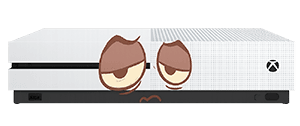
Is your Xbox One running slow?

Is your Xbox One running slow

In this article

Have you ever been knocked off your gaming stride because of a slow Xbox One?

There is nothing worse than sitting down, ready to enjoy an epic gaming session to only find that your console is holding you back!

From time to time, you may notice your Xbox One running slow. This of course will then have a massive knock on effect to your gaming experience. Not only will your overall gaming feel sluggish, but it may effect your performance and also make you fall out of love with gaming.

And we at Console Therapy of course don’t want you to have to put up with this!

Is your Xbox One running slow

Why is my Xbox One Running Slow?

We recently wrote an article on what you can do to ensure your Xbox One runs more smoothly – be sure to read through the article HERE.

We have decided to put together this short article of three of the most common reasons you may find your Xbox One running slow, and the simple things you can do to ensure you get your console running at the right speeds!

Complicated Cache

One of the many reasons your Xbox One might be running slow is down to the fact it has been left on for far too long.

This could then clog up the cache and the systems that are running behind the scenes.

So be sure to put it through a hard restart or power cycle to fix the issue.

All you have to do is simply hold down the power button for 10 seconds then unplugging everything (including the power cord!) for a good 5 minutes then plug it back in once again.  Do not rush this part as leaving the Xbox unplugged for 5 minutes really does help.

Slow Games & Dashboard

If you notice your games are starting to randomly glitch and freeze, as well as the Xbox One Dashboard taking a long time to respond to inputs from your controller, then this could be a sign of a failing internal hard drive. 

First thing to try is restarting your Xbox (which will clear any cache as mentioned above).  If your Xbox still running slow, then one option might be re-placing the internal hard drive.

We have a dedicated article you can read here which explains the process step by step of how to replace the hard drive in your Xbox One S or X

You will need some tools though, but as long as you can use a screwdriver, the process is easy and straightforward. 

Advertisment

De-clutter and clean

Sometimes, your Xbox One can become slow and sluggish if you have too much saved on your disc drive.

Over time we tend to accumulate lots of games and other apps that we simply do not use any more; there is always those old gaming files saved of games that you downloaded for free, or those games you used to play several years ago but you have now moved on from.

The internal hard drive of your Xbox needs to work extra hard if it is constantly moving back and forth looking for data.  The cleaner the drive, the better the performance.

You can free up some space and clear some space by deleting and removing any unplayed or unused apps.

Other causes

Generally, it is a good idea to completely shutdown and fully power off your Xbox One once a month to reset all the cache and let the Xbox cool down.

If  you ever need expert advice, support or repairs be sure to get in touch with our expert team and we will be able to help!

simon console therapy
Guide written by Simon Arthur

Senior Technician and Chief Writer here at Console Therapy

With over 30 years of experience in IT hardware repairs and Electronics, Simon has a personal, non-jargon approach to home electronic repairs.

Advertisment

Message from our sponsors

What our customers say

Further reading

Get in touch