 Skip to content
PlayStation 5 UART Error Database & Tools
Our online PS5 UART reader uses AI to analyse error codes and error sequence points, giving you a far more in-depth diagnostic report.
Updated weekly, our UART Error code database gives guidance and help with the latest error codes.
Online PlayStation 5 UART Error Code Diagnostic Tool
Don’t want to use the online UART tool? Skip straight to our PS5 UART Error Databse
Sorry, our online PS5 UART Error Code Tool is not compatible with mobile devices, but you can still use our PS5 UART error database below
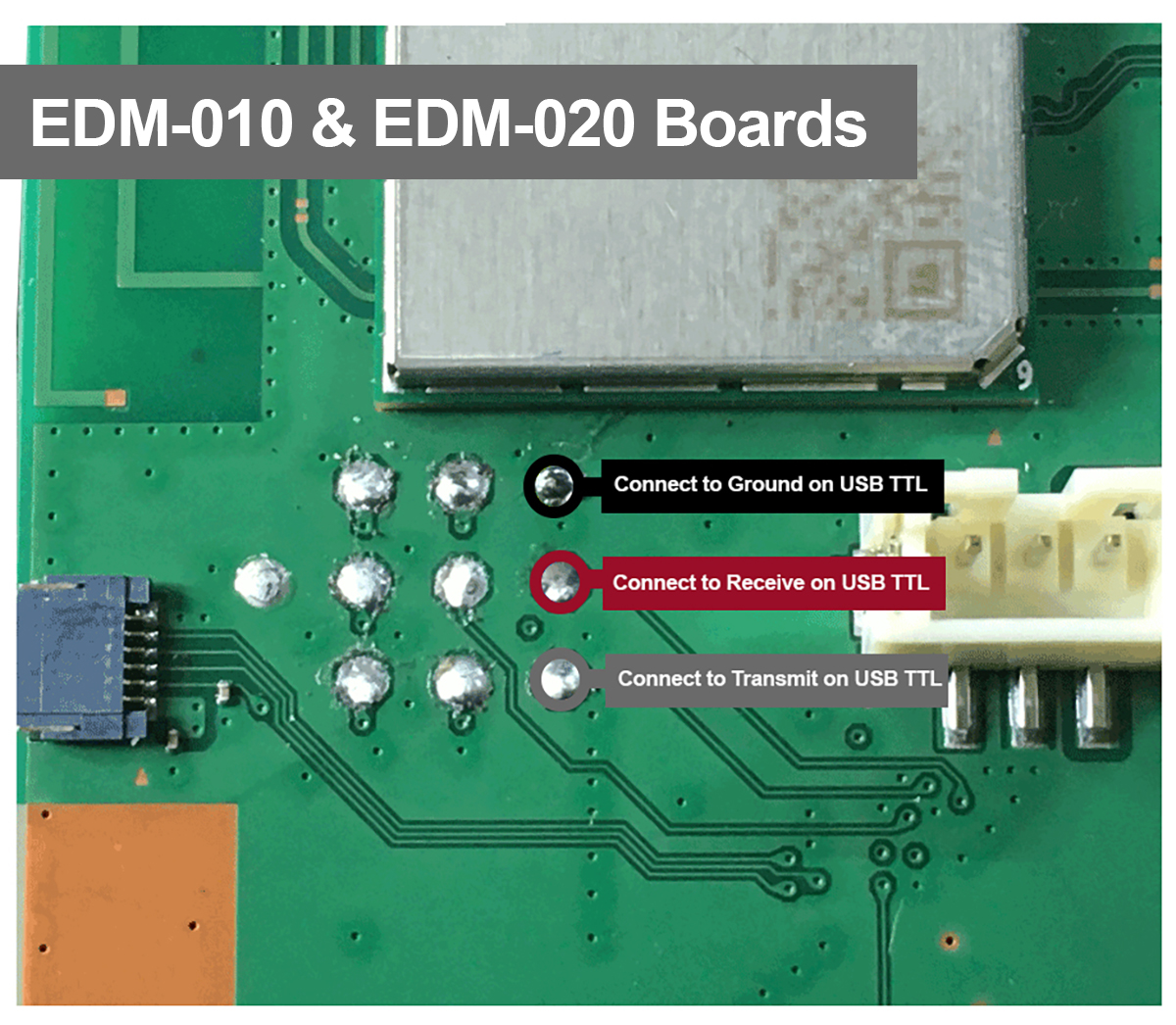
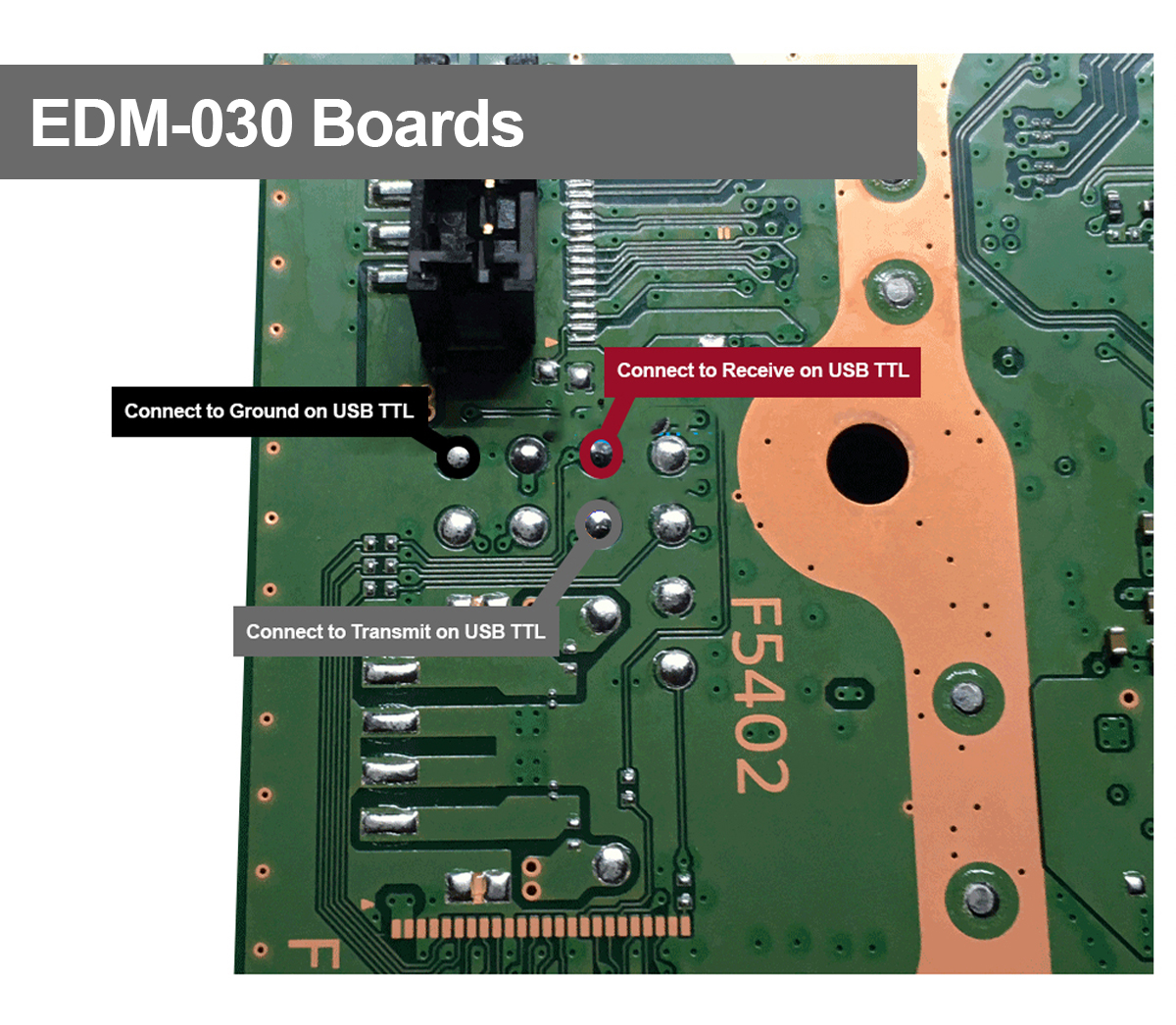
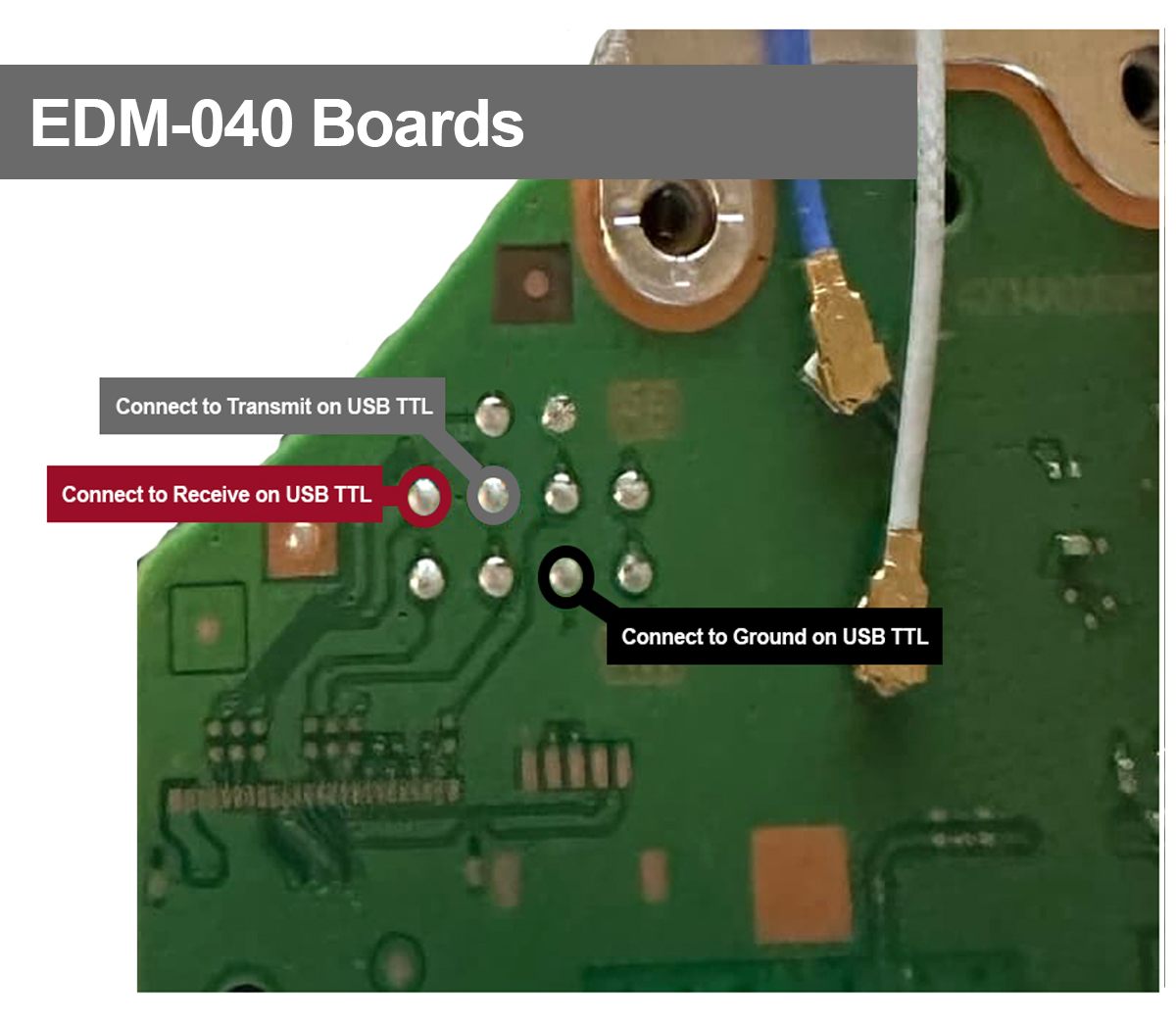
How to connect your UART reader
Click images for larger view
Console Therapy UART Tool Stats
Connect your PS5 and read the PS5 UART error log directly in this browser - simple.
Need help finding the root cause? Our UART tool integrates with Google Gemini AI to give a more in depth answer.
As with all UART error codes and databases, the results shown should be used as a guide only to help you locate the root cause of an issue – for example, if a RAM fault is shown, this might point to an issue on the power rail or data line and not the actual RAM IC itself.
Please note – this tool only works with Google Chrome or Microsoft Edge browsers on desktop – it is not compatible with other browsers such as Firefox and moblie devices.
Disclaimer: Beta v0.1. This tool is provided free of charge to the repair community, as is, without warranty or support, so please use at your own risk. AI can make mistakes. This tool and website is not affiliated with Sony Interactive Entertainment in any way.
User Guide - Click to open
1. Solder a USB-TTL serial adapter (CH340 or similar) to the PS5 UART header pads on the PS5 – click here for a full guide of which pads to use
2. Plugin your USB-TTL serial adapter to your computers USB port
3. Plug the PS5 mains cable in, but do NOT power the console on.
4. Click the “Connect to PS5” button below and select the com port your adapter is connect to
5. Click Read Error Codes button below
6. The UART tool will read all error logs and display error codes along side the sequence points.
7. Click “Diagnose this error with AI” to get further help on your error codes.
This tool is only made possible by the help and support of the console repair community by sharing error codes and fixes. Special thanks and credit goes to amoamare from Console Service Tool, apewalkers from PlayStation 5 NOR ErrorLog and TheCod3r from uartcodes.com
Finding the UART Tool useful?
We use AI to support fault finding, and pay a fee to access AI Tools and Platforms. If you would like to support us and help to cover these costs and keep this tool free, please click the Donate button below to buy me a coffee.
Advertisment
(this advert helps to support our site and keep this tool free for all to use)
Our PlayStation 5 UART Error Database

Our PS5 UART Error Code Database is updated weekly with new codes once they have been discovered, so check back often to see which codes we have available. We discover new error codes from our repairs, by searching specialist websites in the deep corners of the web and using other UART Code databases.
Simply enter your PS5 UART Error code below to begin
Enter your UART Code below:
Advertisment
(this advert helps to support our site and keep this tool free for all to use)
Using UART to repair your PlayStation 5
UART, or universal asynchronous receiver-transmitter, is a very commonly used device-to-device communication protocol. UART can read simple TTL data which can be text, numeric, control and binary, in turn allowing us to translate the internal error codes stored within the PlayStation 5.
By using a simple UART reader interface, we can read the TTL data from the PlayStation 5 directly on our computer.
The process does include soldering a few wires inside the PS5, so you will need some soldering skills and a soldering iron.
On their own, these codes do not mean much, but when matched to a error code database like our Console Therapy database, we can translate the error codes.
Advertisement